
By Joe Robison · Updated · Facts checked
Usually, no. A host based in your state does not make your site faster. What matters is where the server sits relative to your visitors, whether a CDN serves your pages, and whether support answers when you need it. A local host makes sense when you want in-person help, need data kept in a specific place, or want to support a local business.
Aside from a love for all things local, there are some compelling reasons why you may want a local web host for your site. But will picking a local host really give your site an edge in SEO? The answer is complicated, and depends on your goals. Here is what you need to consider.
Choosing a web host for your business or personal site is no simple decision. There are thousands of hosts to choose from, each offering different levels of services, making the available options virtually infinite. Which host you choose should of course be determined based on your priorities and needs. But how large of a role should the location of a hosting company’s servers play in this decision?
There are plenty of myths circulating about just how helpful it is to host your website on a local server. The answer depends largely on your website and business. If your site is less dependent on local visitors for traffic, hosting with a local company still has its perks, though they are less tangible.
Key takeaways
- Server location matters. The host’s headquarters does not.
- Most national hosts let you pick a data center region at signup.
- A CDN narrows the speed gap for visitors far from your server.
- Local hosts win on relationships, not on raw specs. Patronizing local businesses contributes to a close client-company relationship.
- Ask any host, local or national, the same five questions below.
Does a local web host make my site faster?
In theory, yes. But just because a web hosting provider has servers in your region does not guarantee speedy page load times. In practice it helps only if the local host’s servers are close to your visitors and a national host’s servers are not. That is rarer than it sounds.
Your site’s speed is important. Not only does Google use a site’s speed as one factor in determining where it should rank, but site speed has a dramatic influence on visitor behavior as well.
Hosting your site on a server that is in close proximity to your target audience can speed things up. It is true that the distance data must travel from a server before it reaches a visitor’s browser influences the speed of delivery. Typically, the fewer leaps the information must make, the faster it can arrive. Every extra mile adds a little delay to each round trip. A host headquartered down the street may rent servers in a data center two states away. A national host may let you choose a region near your customers.
GreenGeeks is one example. In January 2023 it added Singapore as a server location to serve the Asia-Pacific region, next to Chicago, Montreal and Amsterdam. Cloud providers go further: an AWS Lightsail server with a public IPv4 address starts at $5/mo and you choose the region when you create it.
However the negative effects of hosting your site on distant servers is greatly diminished if the network infrastructure in that region is reliable. It doesn’t matter how physically close a server is if the hardware and network communication in the region are generally poor. High connectivity and quality infrastructure are more important than a server’s proximity to your intended market. Sometimes the best of both worlds can be found in one hosting company.
So the useful question is not “is this host local?” It is “where will my server be?”
Where should my server be?
Put it near most of your visitors. If your customers are in Ohio, a Chicago or East Coast data center is a sensible default. If half your readers are in Europe, a US-only host is a poor fit no matter where it is headquartered.
Then add a CDN. A content delivery network stores copies of your images, scripts and cached pages on servers around the world, so a visitor in Denver loads them from a nearby node. For a mostly static site, that removes most of the distance penalty. This is practitioner experience, not a benchmark we ran.
Does hosting locally help my site rank in local search?
Not in any way you can measure. Google the word “bakery” while in Los Angeles and the top businesses listed will be completely different than if you were to search the same term in London. That comes from where the searcher is and what Google knows about each business, not from where the bakery’s website is hosted.
There are other more powerful ways to let Google know where your business is located. Like making sure your address and contact information are up to date and consistent across your site. Claiming your business listings on directories and review sites is another big one. And if your backlink profile is strong enough, you can still outrank locally-hosted businesses while using a host on the other side of the country.
Furthermore, not every business runs out of a brick and mortar storefront, so the benefit of localization isn’t so important. Perhaps the warehouse of an ecommerce company is located in Michigan; that doesn’t necessarily mean the bulk of its customers hail from there as well. And just because a blog is written and hosted in Florida doesn’t mean it can’t have a loyal readership in Japan. Google recognizes that we live in a globalized world, so local hosting is by no means the determining factor in whether your site will rank. Because there are so many variables that determine how a site ranks in a Google search, it is impossible to say just how much advantage is derived solely from local hosting.
When is a local web host the right choice?
There are real reasons to go local. None of them are about speed. Though it is harder to quantify than search engine rankings and page load times, your experience as a client is also hugely important when choosing a web host. Patronizing local businesses contributes to a close client-company relationship. The opportunity to use a local web host appeals to many for this reason.
- You want a person, not a ticket. Some small businesses value being able to call someone they have met. A local host or a local web agency that hosts sites can offer that.
- You need data kept in a specific place. Some contracts, schools and government clients require data to stay in a certain country or state. Ask where the servers are, in writing.
- Your hosting comes bundled with a local designer. Many local “hosts” are agencies. That can be convenient, and it can also make it harder to leave. Make sure you own your domain and can get a full backup.
- You want to spend money locally. A fair reason. Just know you may pay more for the same resources.
In some cases, choosing to host your website with a local company can lead to networking and partnership opportunities, both with other clients from your area and with the webhost themselves. If supporting local businesses is important to you, then it makes sense to explore hosting options from your region.
Furthermore, the reliability of a web hosting provider is closely tied to the quality of its regional network structure and other environmental conditions. The energy supply, political situation, legal regulations, and any environmental risks present in the area where a web host is located are all factors that can affect their services. There is something to be said for operating under the same external forces as your hosting provider. It could be troubling for some to have their site’s performance subject to events and regulations on the other side of the country, or even the other side of the globe.
When should you skip the local host?
- You need 24/7 support. Many national hosts advertise round-the-clock support; GreenGeeks, for example, promises 24/7 expert support on its homepage. A small local shop may keep business hours.
- You want predictable, low prices. National hosts and cloud providers publish prices. SiteGround, for example, publishes its regular rates in its knowledge base, in four currencies. Small providers often quote by email.
- You expect to grow fast. Moving from one server to a bigger one is routine at a large host or cloud provider. It can mean a full migration at a small one.
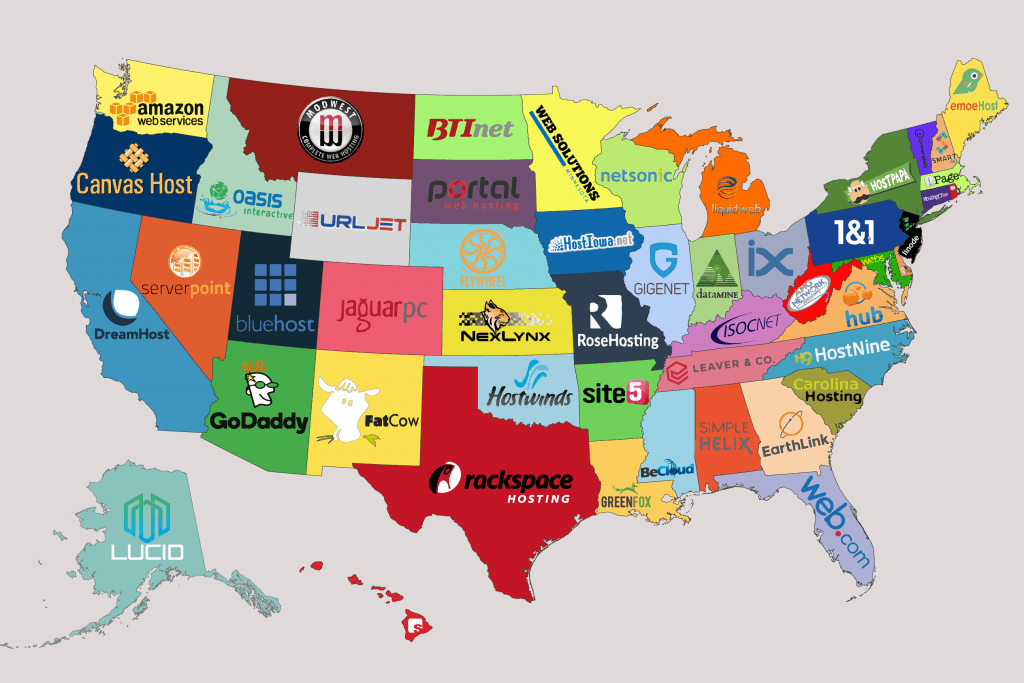
How many web hosting companies are in my state?
We wanted to answer this with public data, and we cannot do it honestly yet.
The old version of this page ranked “top grossing web hosts in each state.” We could not verify any of those revenue figures today, so we removed them. As several companies are privately owned, even the old figures were partly estimates, and private hosting companies do not publish state-level revenue.
The best public source is the US Census Bureau’s County Business Patterns, which counts business establishments by state and industry code. Web hosting falls under NAICS 518210, which the 2022 NAICS titles “Computing infrastructure providers, data processing, web hosting, and related services.” That code also covers cloud and data processing firms, so any count will be broader than web hosts alone. The latest County Business Patterns year is 2023. We could not pull the state figures for this update. When we do, a state table will go here with the data year and a link to the Census query, and not before.
What should I ask any web host before I sign up?
Use this checklist whether the host is two miles away or two thousand.
| Question | Why it matters | Good answer |
|---|---|---|
| Where is my server physically located? | Speed and data rules | A named city or region you can choose |
| What does it cost after the first term? | Intro prices often jump at renewal | A written renewal price |
| What are your support hours and channels? | Outages do not keep office hours | 24/7 chat or phone, or clear hours you accept |
| How do I get a full backup and leave? | Avoids lock-in | Self-serve backup download, no exit fee |
| Who registers and owns my domain? | Your domain is your address | You, in your own registrar account |
If a host cannot answer the first two in writing, keep looking.
FAQ
Is a local web host better for local SEO?
Not directly, in our experience. Local search rankings lean on your business profile, reviews and relevant content, not on your host’s address. Server location affects speed, and speed is one small factor among many. Making sure your address and contact information are up to date and consistent across your site does more, and claiming your business listings on directories and review sites is another big one.
Does server location affect SEO?
Indirectly, through page speed. A server far from your visitors, with no CDN, loads slower. A CDN fixes most of that for cached pages.
Should a small business use a local web designer who also hosts?
It can work well if you own your domain, can download a full backup, and get the renewal price in writing. If any of those is a no, host separately. Just because a web hosting provider is local doesn’t make them great.
Can I choose where my website is hosted?
Usually, yes. Many national hosts and every major cloud provider let you pick a region at signup. Ask before you pay if the plan page does not say.
What happened to the hosts on the old version of this page?
Some have changed. Site5, which the old page mentioned, no longer sells hosting under its own name: site5.com now opens straight to a customer login page. See our Site5 page for where its customers went.
Conclusions
Picking an excellent hosting provider isn’t the secret to a perfect website or excellent Google rankings. But picking the wrong host can hurt your website and its rankings: slow page load times, lots of downtime, and a poor network infrastructure can have negative consequences for your user experience and search engine performance. Your top priorities in selecting a web host should always revolve around quality service. And just because a web hosting provider is local doesn’t make them great. But if your priorities align, having a quality, local company host your website can be a great asset.
Next step
Pick a server region near your audience, then compare hosts on renewal price and support. Start with best web hosting or, if you want to run your own server, read AWS vs SiteGround.
Sources
- GreenGeeks Singapore data center press release (Jan 2023)
- GreenGeeks home page (24/7 support)
- AWS: Lightsail IPv6 bundles and pricing update
- AWS docs: Lightsail instance bundles
- SiteGround KB: current rates
- US Census Bureau: County Business Patterns
- NAICS 2022 definition of 518210 (Statistics Canada)
Related
Update log
- : Rewrote and fact-checked the page: the first full update since 2020. Kept Joe’s original writing where it still holds.
- : Prices and facts checked against the cited sources, read September 24, 2026.