
By Joe Robison · Updated · Facts checked
Yes, if you’re comfortable running a server. Amazon Lightsail is the easy door: Linux plans with a public IPv4 address start at $5 a month, with no renewal hike. New AWS accounts get up to $200 in credits. The catches are data transfer fees, DIY maintenance and no cPanel. If you want managed WordPress, pick a managed host.
Disclosure: WhatsTheHost may earn a commission if you buy through links on this page. It doesn’t change our verdicts. How we make money.
Show me Lightsail’s current plans
Key takeaways
- Lightsail is the AWS product most small sites should look at. Linux bundles with IPv4 cost $5, $7 and $12 a month; IPv6-only versions cost $3.50, $5 and $10 (source 1).
- The free tier changed. Accounts opened on or after July 15, 2025 get $100 in credits at signup and up to $100 more for trying services (source 4, source 6). The free plan ends after 6 months or when credits run out, and then AWS closes the account unless you upgrade (source 7).
- Bandwidth is the classic surprise bill. Past your allowance, data out to the internet costs from $0.09 per GB (source 5, source 9).
- Support is extra. The cheapest paid plan, Business Support+, starts at $29 a month (source 12).
- Big outages happen. us-east-1 had a DynamoDB DNS failure on October 19 and 20, 2025 that lasted about 14.5 hours (source 13).
Verdict
| Best for | Developers, static sites, apps that may grow into other AWS services |
| Not for | Anyone who wants cPanel, managed WordPress, bundled email or phone support included |
| Easiest entry | Lightsail, from $5/mo with IPv4 |
| Biggest risk | Data transfer and add-on charges you didn’t plan for |
| Our score | 7/10 for technical users, 4/10 for beginners |
Amazon is a big company. What started off as a simple online bookstore successfully turned into the next Wal-Mart online. For any tangible product that is sold, Amazon probably sells it. Its cloud arm, Amazon Web Services, is a different animal. Although they don’t have typical packages that you might see in hosting providers, they do have other, sometimes more lucrative, options available.
It’s kind of unfair to compare Amazon Web Services to other hosting providers. They are not your typical Web hosting company. Comparing Amazon Web Services to most other hosting providers is like comparing apples to oranges. AWS is excellent infrastructure and a mediocre “web host” in the everyday sense. You get a server, not a service. Nobody patches WordPress for you, answers a support ticket for free, or hands you an email inbox with the plan. That’s fine if you want control. It’s a bad trade if you just want a site that stays up while you run your business.
Who should NOT use AWS: a small business owner who has never used SSH, anyone expecting a cPanel login, and anyone who wants a human on the phone without paying for a support plan.
What does AWS hosting cost?
Amazon Web Services is built on a pay-per-use model, which can be a lower cost model because you only pay for what you use. Lightsail is the exception that most small sites want. It is billed like a phone plan: a flat monthly price that includes a data transfer allowance. There’s no intro discount, so there’s no renewal jump either.
| Lightsail Linux bundle | Price with public IPv4 | IPv6-only price | Memory | Source |
|---|---|---|---|---|
| Smallest | $5/mo | $3.50/mo | 512 MB | 1, 2 |
| Small | $7/mo | $5/mo | 1 GB | 1, 2 |
| Medium | $12/mo | $10/mo | 2 GB | 1, 2 |
| General purpose, 4 GB | $24/mo | $20/mo | 4 GB (80 GB SSD, 4 TB transfer) | 1 |
| Renewal pricing | Same as above | Same as above | 1 |
Two notes. First, the IPv6-only plans are cheaper because AWS charges for scarce IPv4 addresses. Across AWS, a public IPv4 address costs $0.005 an hour, about $3.60 a month, whether you use it or not (source 8). Lightsail folds that into the bundle price (source 3). Second, an IPv6-only site can’t be reached by visitors who only have IPv4 unless you put a CDN or load balancer in front, so most websites still need the IPv4 plan.
Lightsail used to offer short-term free trials on select bundles. Those are gone for new customers: AWS’s Lightsail billing FAQ says they were replaced by the AWS Free Tier credits (source 16). Don’t count on a free Lightsail trial. Count on the credits instead.
Start with Lightsail’s $5 plan
What changed with the AWS Free Tier?
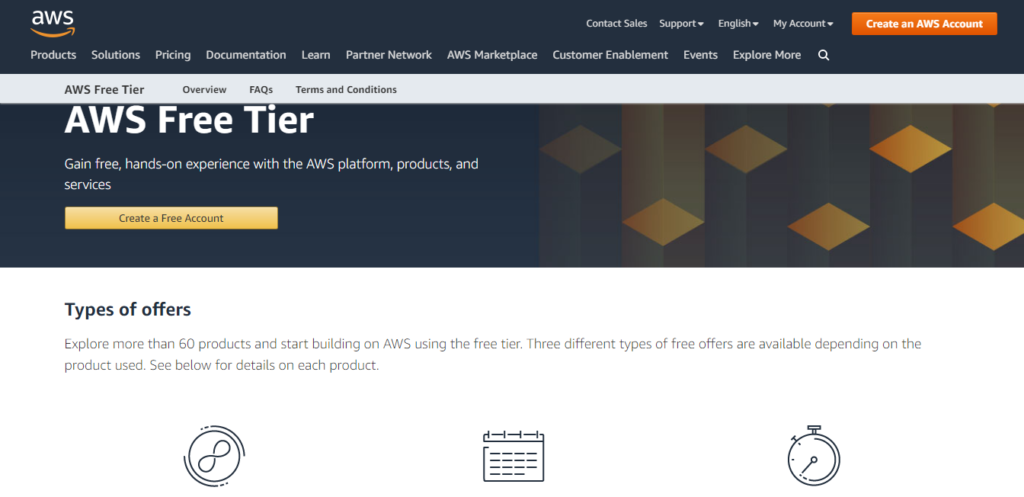
A completely free and usable account is a rarity among website hosting providers, so the free tier still deserves a look. But the old “12 months free” model is gone for new accounts. Since July 15, 2025, you pick a free plan or a paid plan at signup, and you get credits instead (source 4, source 6). Here’s the part that matters for a website: on the free plan, your account closes when the 6 months or the credits run out. AWS keeps your data for 90 days so you can upgrade, then erases it (source 7). Don’t launch a real business site on the free plan and forget about it.
Which AWS service should you use for a website?
| Your site | AWS option | How you pay | Watch out for |
|---|---|---|---|
| WordPress or a small app | Lightsail | Flat monthly bundle | You maintain the server |
| Static site (HTML, a Hugo or Next.js export) | S3 + CloudFront | Flat-rate CloudFront plan from $0 to $1,000/mo, or pay per use | Getting permissions and caching right |
| Front-end app with Git deploys | Amplify Hosting | $0.15/GB served, $0.023/GB stored, plus build minutes | Traffic spikes cost money |
| Custom stack, scaling needs | EC2 | Per hour plus storage, IPv4 and bandwidth | Many separate line items |
For the S3 route, Amazon Web Services requires that you put your data into what they call “buckets.” As a user, you’ll be charged at a “per gigabyte” rate for storage and transfer, and a “per request” rate for requests in and out of your bucket. The good news is Amazon charges these requests by the thousands. They’re not money hungry moguls looking to nickel and dime you on requests; the bandwidth meter is another story.
Storage on S3 is automatically scalable. This means that no matter how busy your website may get or how much space you need, Amazon automatically adjusts your account to fit. This means that you will never get a “bandwidth exceeded” error. You get a bigger bill instead. The other catch: when you host your website on S3, you are able to run client-side scripts, but server-side scripts aren’t available. S3 supports static websites only. If you intend on running any kind of e-commerce website, S3 on its own will not work for you.
The static option got much friendlier in November 2025. CloudFront’s flat-rate plans (Free, Pro at $15, Business at $200, Premium at $1,000 a month) bundle the CDN, DDoS protection, DNS, a TLS certificate and S3 storage credits with no overage charges (source 10, source 18). For a brochure site, that removes most of the bill anxiety.
For WordPress, Lightsail has a ready-made WordPress blueprint. Setup walks you through the domain and HTTPS, and you pull the admin password over SSH (source 15). If that sentence made you wince, AWS isn’t your host. One more date to know: the older “WordPress by Bitnami” blueprint stopped getting updates after May 19, 2026, and from November 19, 2026 you can’t create new instances with it (source 17). If your server says Bitnami, plan a move to the newer blueprint.
What is the data transfer gotcha?
Every byte your site sends to visitors is “data transfer out.” On EC2 and most AWS services, the first 100 GB a month is free across your account, then it’s billed from $0.09 per GB (source 9). Lightsail bundles include an allowance, then charge from $0.09 per GB for overage (source 5).
The pay-per-use model has a downside. When you pay a flat fee per month, you know how much you’re paying and what you’re paying for. When you have a pay-per-use model going on, you must estimate and calculate your usage so that you can budget properly. Prices also vary by region. Amazon is a global company, and it is fully expected for them to charge different prices in Australia than they do in the United States.
Some quick math using those rates. A site on EC2 that sends 500 GB in a month pays for 400 GB, about $36. If a Lightsail site blows 1 TB past its allowance, that’s about $90 on top of a $5 plan. A viral post or a scraper bot can do that. Set an AWS Budgets alert on day one.
What we tested
No fresh hands-on test was run for this update. This review is based on AWS’s own pricing pages, documentation, announcements and post-event summaries, plus one dated third-party report on a 2026 outage. The old page’s 2020 speed and uptime numbers were removed because they no longer describe current AWS pricing or hardware.
Pros and cons
Pros – Predictable Lightsail pricing with no renewal hike. – A clear path to grow: databases, CDN, object storage and serverless all sit in the same account. – The static site route (S3 + CloudFront flat-rate) can run at $0 a month for small sites (source 10).
Cons – No cPanel, no managed WordPress, no bundled email inbox. You’re the sysadmin. – Support is a paid add-on, from $29 a month (source 12). – Billing has many meters. IPv4, bandwidth, snapshots and add-ons all show up separately on EC2.
Support
Amazon has raised the bar when it comes to retail customer support. As you may well know, Amazon sells a lot more than just hosting space. They sell almost every imaginable physical, tangible product in the world, and they created a customer service model that others try to mimic. Don’t expect that same experience from AWS for free. Basic support covers your account and billing; technical help costs extra.
AWS rebuilt its support tiers in December 2025. Business Support+ starts at $29 a month with a 30-minute response time on critical cases, and Enterprise starts at $5,000 (source 12). Legacy Developer and Business plans keep running until January 1, 2027. Without a paid plan, expect to lean on documentation and forums. For a small site, compare that $29 against a managed host where support is already in the price.
Reliability and security
AWS publishes detailed post-mortems, which we respect. The biggest recent one: from 11:48 PM PDT on October 19 to 2:20 PM PDT on October 20, 2025, a race condition in DynamoDB’s automated DNS system took down DynamoDB in us-east-1 and knocked on to EC2 launches and Network Load Balancer (source 13). On May 7, 2026, a cooling failure in one us-east-1 availability zone disrupted EC2 instances and storage volumes, per Network World (source 14).
The practical lesson for a small site: you don’t have to host in us-east-1. Pick a region near your visitors, take automatic snapshots, and keep a copy of your backups outside AWS.
Who should pick an alternative?
If you want the cloud without the sysadmin work, these are the swaps we’d make.
| You want | Try instead | Why |
|---|---|---|
| Managed servers on major clouds, no SSH chores | Cloudways | Managed layer on top of cloud servers |
| Cheap, supported WordPress hosting | SiteGround | Support and updates included; see our SiteGround review |
| Premium managed WordPress | Kinsta | Hands-off WordPress with expert support; see our Kinsta review |
Show me Cloudways plans · Show me today’s SiteGround price · Show me Kinsta’s plans
Bottom line
Amazon Web Services is either one of the best or one of the worst Web hosting providers depending on how you look at it. If you want a server you control, or you intend on having a static website, Amazon Web Services has your back. If you want someone else to run the server, it is not a good solution.
Methodology
We priced each option from AWS’s own pricing pages and docs, used AWS’s post-event summary for the October 2025 outage, and used a third-party report only where AWS hadn’t published a summary we could cite. Scores reflect fit for a small business or solo developer, not raw infrastructure quality. Full process: how we review hosts.
FAQ
Is AWS free for hosting a website?
For a while. New accounts get up to $200 in credits and a free plan that lasts up to 6 months. After that, the account closes unless you upgrade. A static site on CloudFront’s Free flat-rate plan can stay at $0 a month.
How much does it cost to host a website on AWS?
A basic Lightsail server with a public IPv4 address is $5 a month. A 4 GB Lightsail server is about $24. Add support ($29+ a month) and any bandwidth overage if you need them.
Is Lightsail better than EC2 for a website?
For most small sites, yes. Lightsail bundles server, storage, IPv4 and a data allowance into one price. EC2 bills each piece separately, which suits custom or scaling setups.
Does AWS have cPanel?
No. AWS doesn’t include cPanel. Lightsail offers WordPress and other app blueprints, but you manage them over SSH and the app’s own admin screen.
Is AWS better than shared hosting?
It’s faster to scale and more flexible, but you do the maintenance. If you want support, email and updates handled for you, shared or managed hosting is the better fit. Compare options in our free VPS hosting guide.
Sources
- Amazon Lightsail Pricing (retrieved Sep 24, 2026)
- AWS docs: Lightsail instance bundles (retrieved Sep 24, 2026)
- AWS Compute Blog: IPv6 instance bundles and pricing update on Lightsail (Jan 25, 2024; retrieved Sep 24, 2026)
- AWS News Blog: AWS Free Tier update, up to $200 in credits (July 15, 2025; retrieved Sep 24, 2026)
- AWS docs: Data transfer in Lightsail (retrieved Sep 24, 2026)
- AWS What’s New: Free Tier $200 credits and 6-month free plan (July 2025; retrieved Sep 24, 2026)
- AWS Free Tier FAQs (retrieved Sep 24, 2026)
- AWS News Blog: Public IPv4 address charge (retrieved Sep 24, 2026)
- Amazon EC2 On-Demand Pricing (retrieved Sep 24, 2026)
- AWS What’s New: CloudFront flat-rate pricing plans (November 2025; retrieved Sep 24, 2026)
- AWS Amplify Pricing (retrieved Sep 24, 2026)
- AWS News Blog: New and enhanced AWS Support plans (December 2025; retrieved Sep 24, 2026)
- AWS: Summary of the DynamoDB service disruption in us-east-1 (retrieved Sep 24, 2026)
- Network World: AWS hit by US-East-1 outage after data center thermal event (third-party, May 2026; retrieved Sep 24, 2026)
- AWS docs: Launch and configure WordPress on Lightsail (retrieved Sep 24, 2026)
- AWS docs: Lightsail billing and account management FAQ (retrieved Sep 24, 2026)
- AWS docs: WordPress by Bitnami on Lightsail (retrieved Sep 24, 2026)
- Amazon CloudFront Pricing (retrieved Sep 24, 2026)
Related
- AWS vs Bluehost
- Cloudways review
- Kinsta review
- SiteGround review
- Free VPS hosting options
- Best website monitoring services
Update log
- : Rewrote and fact-checked the page: the first full update since 2020. Kept Joe’s original writing where it still holds.
- : Prices and facts checked against the cited sources, read September 24, 2026.